What Claude learns in one project, it knows in all of them.
SharedBrain gives Claude Code one memory for every project on your Mac, and a map where you see and decide everything it remembers.
SharedBrain is a Mac app. Open this page on your Mac to download it.
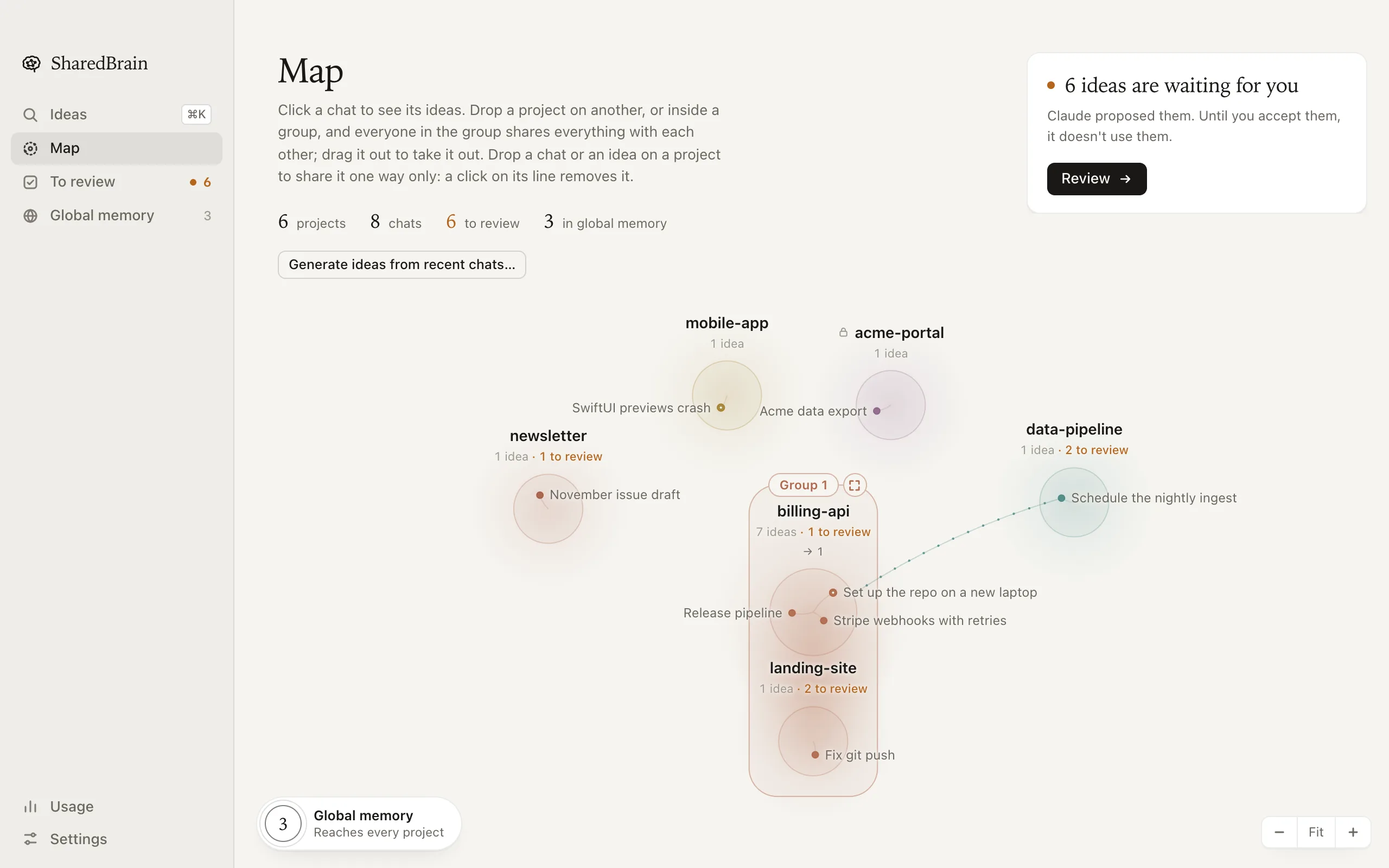
01 Shared memory
Learn it once. Use it everywhere.
Your preferences, decisions and lessons travel with you from project to project. When Claude finds the same fact in two of them, it suggests making it global.
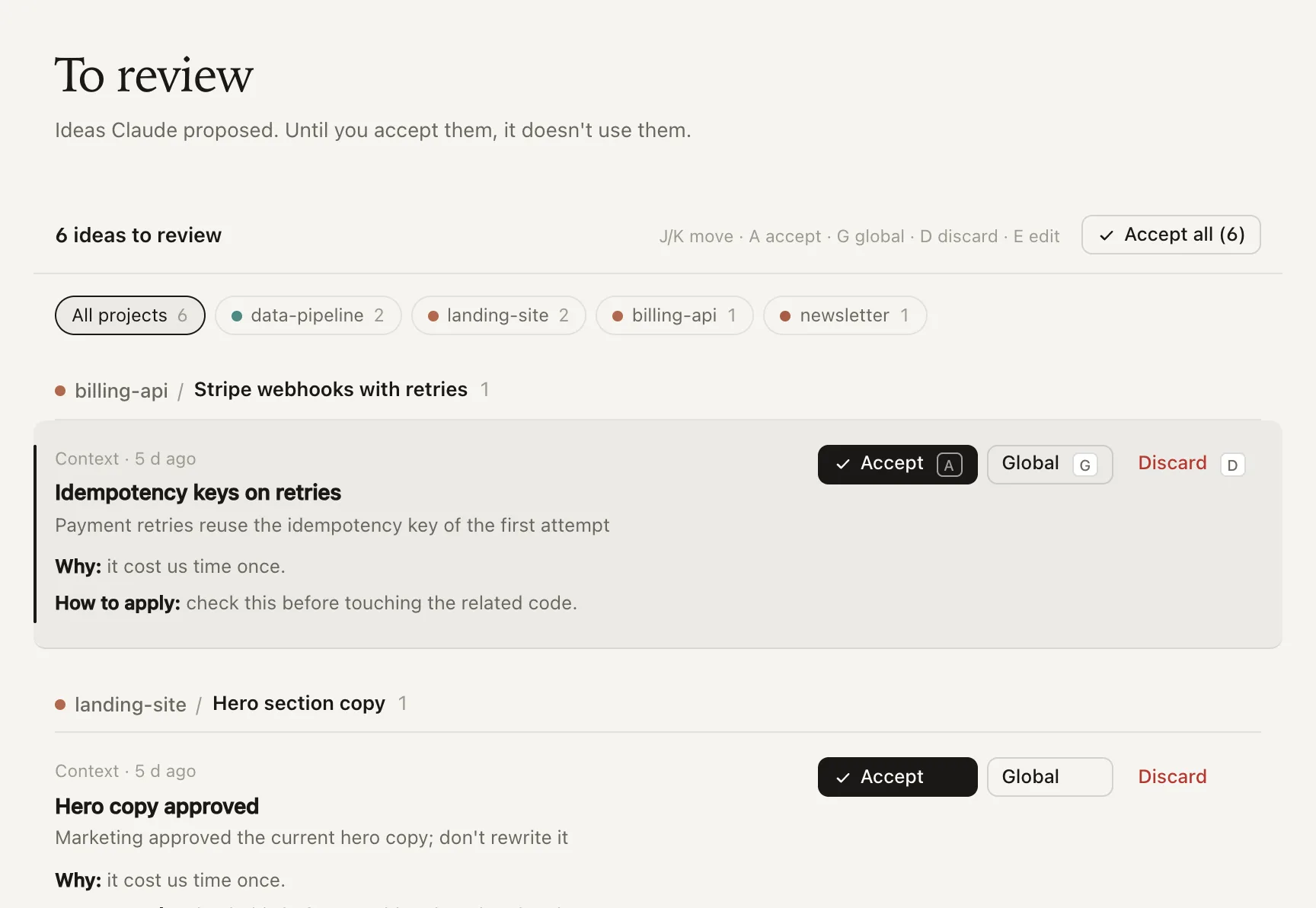
02 The neuron map
See everything Claude remembers.
No hidden files. Your whole memory on one map you can drag around, zoom and explore.
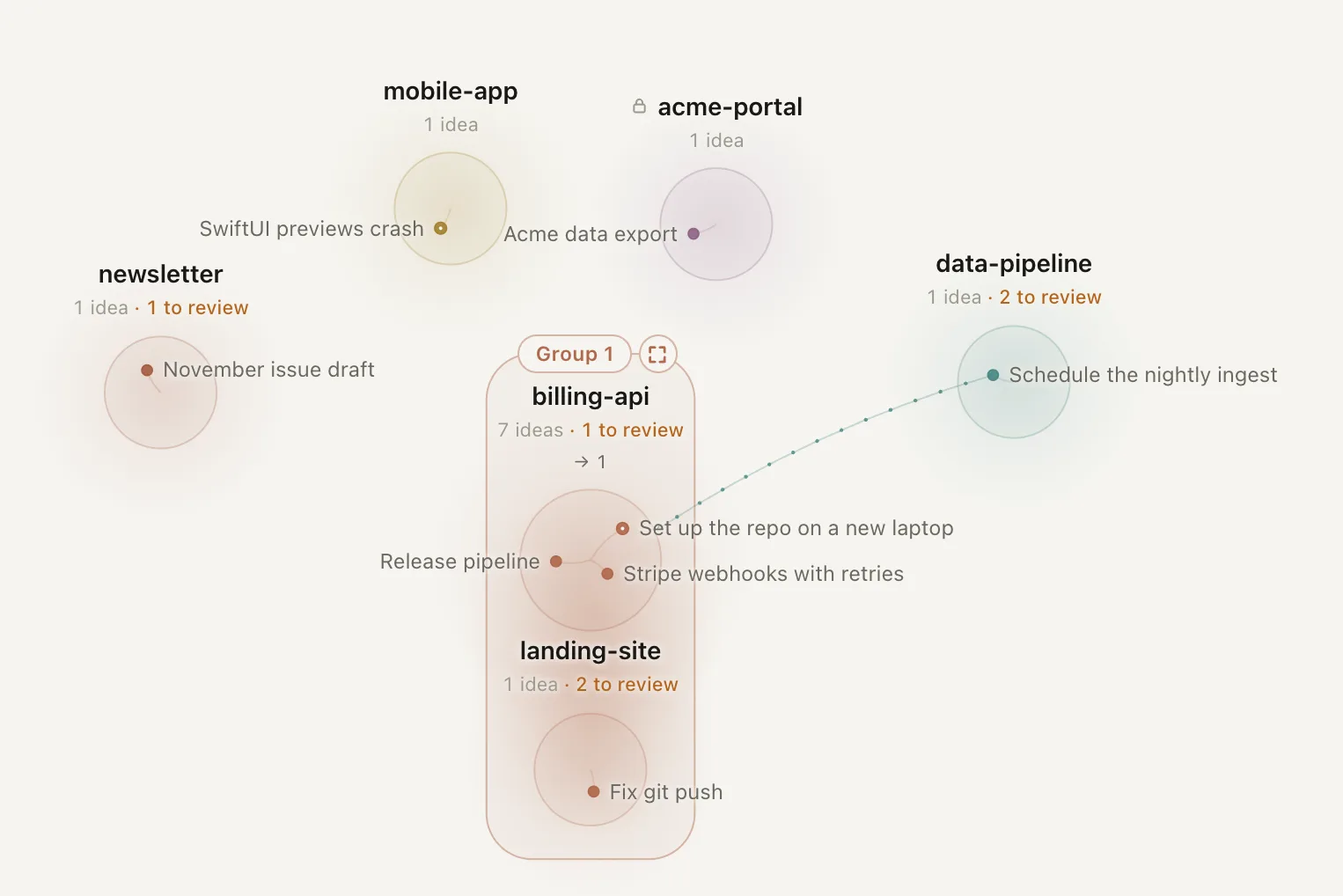
- Projects
- are groups
- Chats
- are neurons
- Ideas
- hang off the chat they came from
03 Ideas you accept
Nothing sticks until you say so.
When a chat ends, Claude proposes what it learned. Accept an idea, make it global or discard it. Until you accept it, Claude doesn't use it.
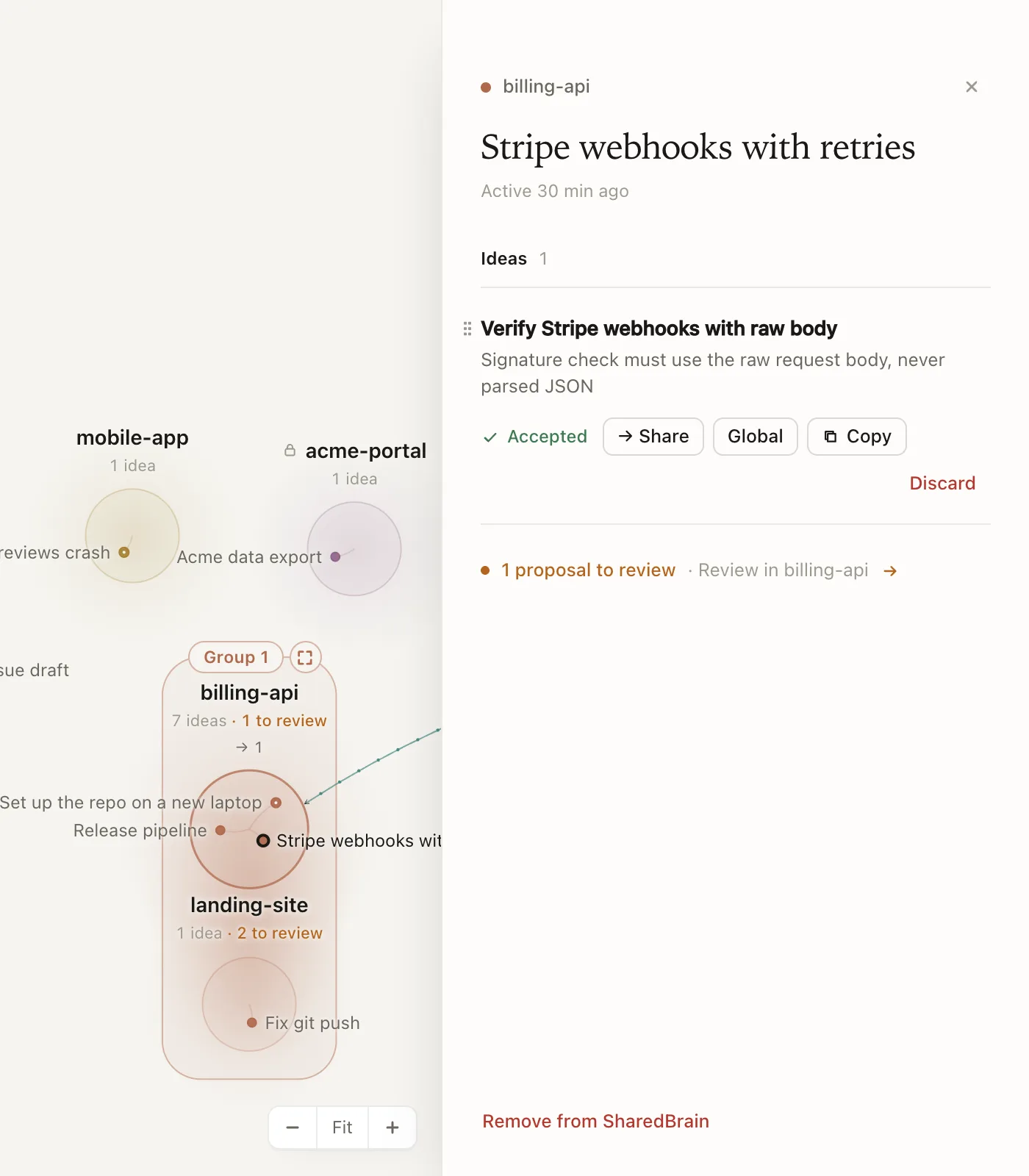
04 Connected projects
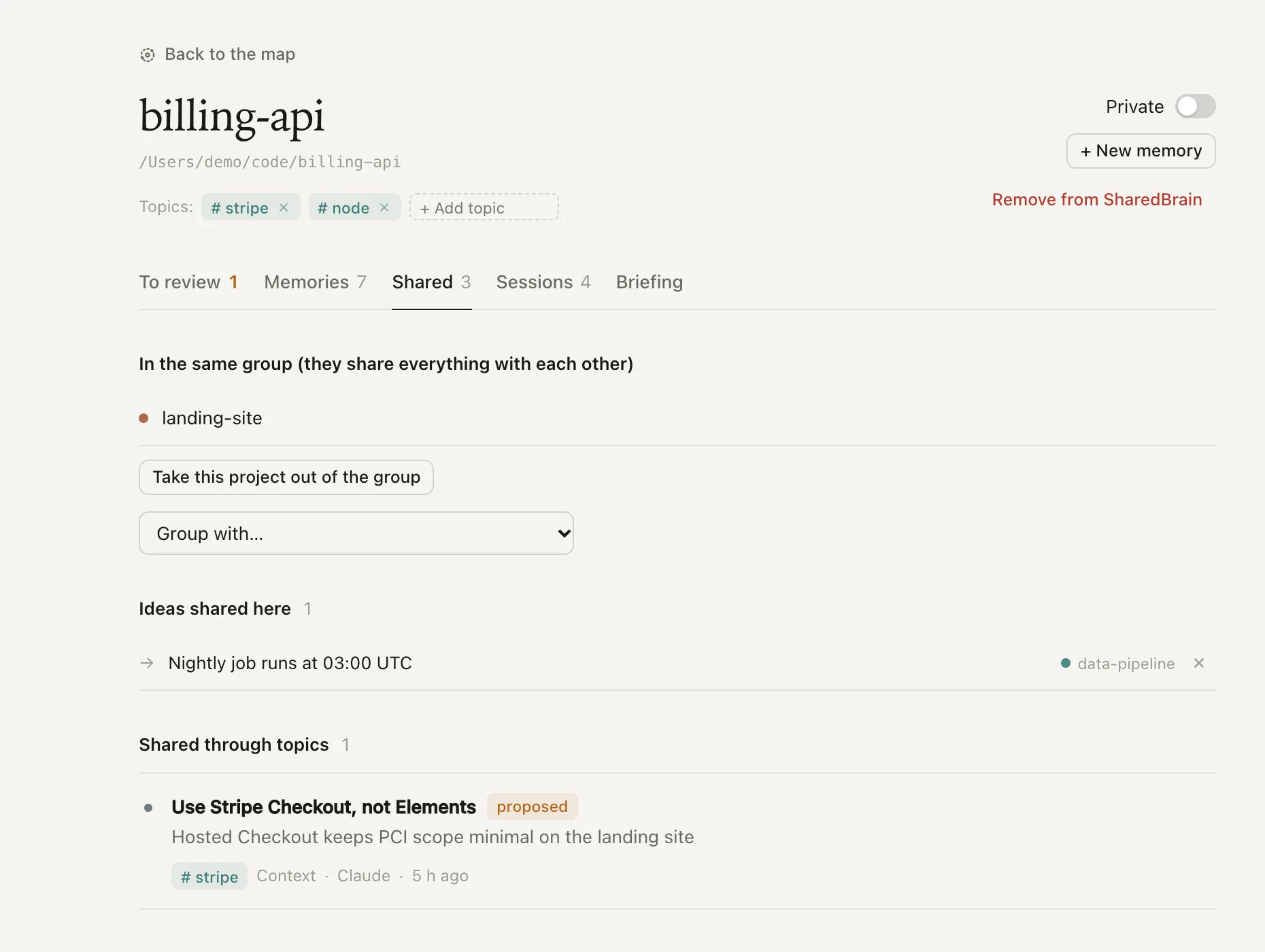
Join projects that belong together.
Drop one project on another and they share memory: what you accept in one reaches the other, and the other way round. Private projects never share anything.
05 Inside Claude Code
Every session starts already knowing.
A short briefing arrives when a session starts, and Claude searches your other projects when it needs to. It's a Claude Code plugin: nothing new to learn.
It all stays on your Mac.
Your memory is a database on your computer, and SharedBrain needs no account. Mark a project as private and nothing from it reaches your other projects, or the cloud. If you turn on Cloud, your memory is encrypted on your Mac before it leaves: we can't read it.
Free on your Mac. Cloud if you want it.
Free
€0 for good
- The whole app, with no limits: the map, ideas, connected projects, search and token usage
- As many projects and memories as you like
- No account. Nothing leaves your Mac
SharedBrain Cloud
€4 a month
or €36 a year, 25% less
- An encrypted backup of your memory, that only your Macs can read
- The same memory on up to 10 Macs, synced on its own
- 1 GB and 100,000 items per account, far more than anyone uses
- Cancel any time. Your memory stays on your Mac
Subscribe in the app, in Settings → SharedBrain Cloud. Stripe handles the payment and shows the final price with tax for your country before you pay.
Questions
- Does it work on Windows?
- There's a preview for Windows 10 and 11. It passes our automated tests on Windows but hasn't been tried on a real Windows PC yet. The Mac app is the one we use every day.
- Is it free?
- Yes. Everything SharedBrain does on your Mac is free, with no limits on projects or memories. The only paid part is SharedBrain Cloud, an optional encrypted backup and sync between Macs, for €4 a month or €36 a year.
- Does anything leave my Mac?
- Not unless you turn on Cloud, and then only encrypted data that we can't read. Private projects never leave. What SharedBrain adds to a session (the briefing and search results) goes to Anthropic as part of your normal Claude Code session, like your code does.
- Does Claude save ideas on its own?
- You choose when you set it up: automatically, as Claude works and when a chat ends, or only when you ask (“save this idea”, “give this chat its ideas”). Either way, nothing reaches your other sessions until you accept it. You can change it in Settings.
- What does it change in Claude Code?
- It installs one plugin,
sharedbrain, with three hooks and a local MCP server. If you allow it, it adds one rule to~/.claude/settings.jsonso Claude can use its memory without asking each time. It imports Claude Code's memory files; if you edit one of those memories in the app, the change is written back to its file. It readsCLAUDE.mdbut never changes it. - Can I see what Claude Code spends?
- Yes. The Usage tab adds up the tokens of your Claude Code sessions by day, chat and project, read from the session files on your Mac. Those figures never go to the cloud.
- How do I uninstall it?
- In the app, go to Settings → Claude Code connection → Uninstall, then move SharedBrain to the Trash. To delete the stored memory too, remove
~/Library/Application Support/SharedBrain. If you have a Cloud subscription, cancel it first from Manage subscription. - Is it made by Anthropic?
- No. It's an independent app that works with Claude Code through its public plugin system.
Try it on your Mac.
Download for MacFree. For Macs with Apple Silicon or Intel, 16.1 MB.
Needs macOS 12 or later, a Mac with Apple Silicon or Intel and Claude Code.
Version 0.6.10, released November 26, 2026.
Downloading. Here's how to open it the first time.
Windows preview
A first version for Windows 10 and 11 (64-bit). It passes our automated tests on Windows, but we haven't tried it on a real Windows PC yet: expect rough edges. If you'd like to help by testing it, or to tell us what breaks, write to [email protected].
Download for Windows (preview)Free. Version 0.6.10, 5.1 MB. Needs Claude Code for Windows.
The installer isn't signed yet, so Windows SmartScreen warns the first time: click More info, then Run anyway. It installs for your user, without administrator rights.
SHA-256 157e4d419c2efdfc7c869582cbb54670a146733234282405bad75cfed88ff6a9
Opening it the first time
- Open the
.dmgand drag SharedBrain to Applications. - In SharedBrain, click Connect. It finds Claude Code, imports your existing memory and installs the plugin.
SHA-256 4f7b3dddf9b02fb67c7f2c0e9fbf4657190a1f30fd6e2ec7cee56b5a8c21e21f